
Salesforce Data Migration: Tools, Techniques, and Best Practices
-
Data migration is more than just moving data from one system to another. It also includes making sure that the data is accurate, well-organized, and positioned in a way that will help the organization prosper. For many Salesforce professionals, moving data between environments is problematic. A Salesforce Online Training can help you in enhancing your skills and become an expert. In this article we will discuss important guidelines and best practices for migrating data in Salesforce. Also we will walk you through tools and techniques used in Salesforce data migration.
What is Salesforce Data Migration?
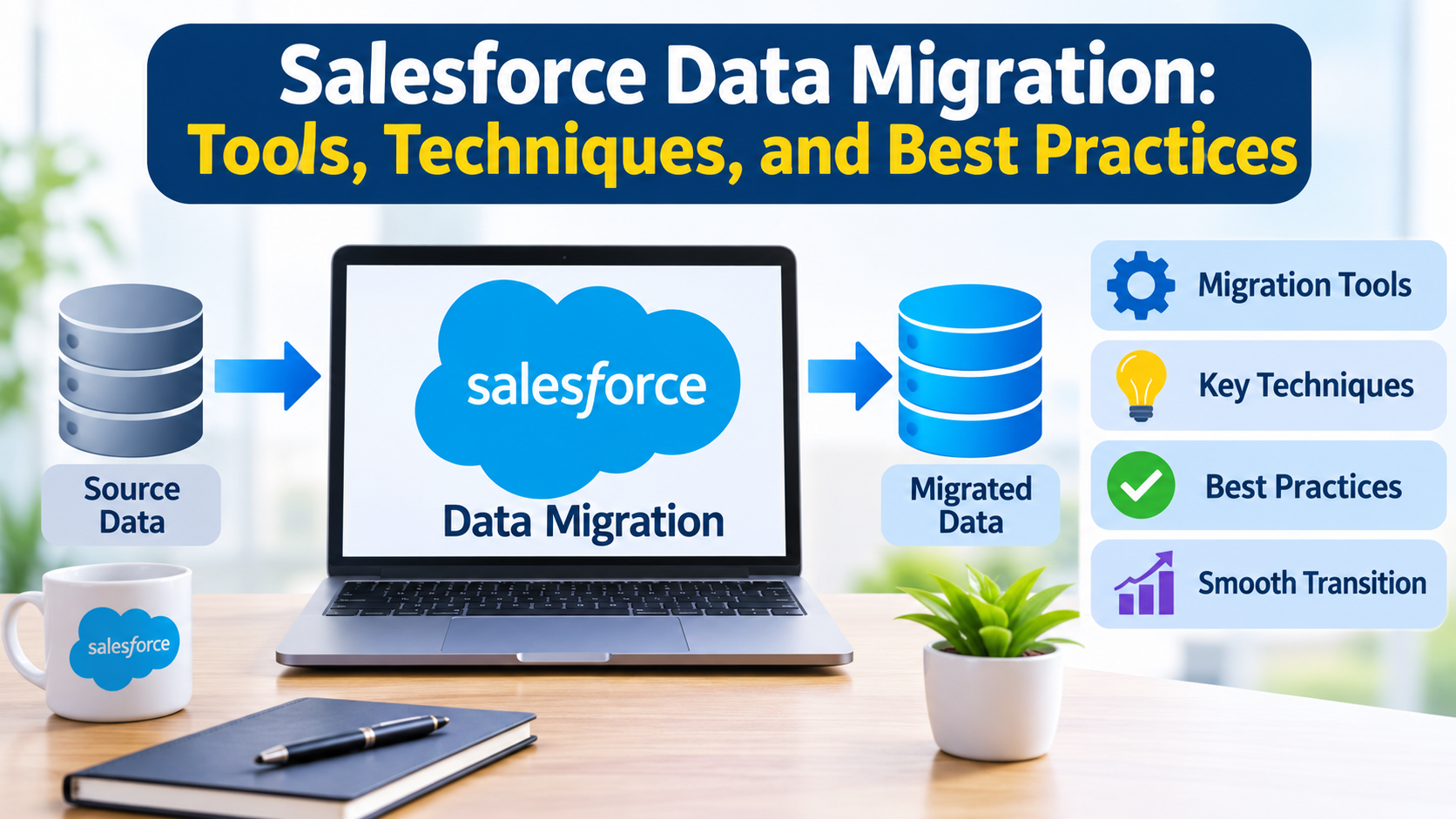
The Salesforce data migration process involves moving data from legacy systems or other CRM platforms into Salesforce. The process involves extracting data from the source system, transforming the data to adhere to the Salesforce structure, and loading the data into the Salesforce environment.
A proper migration is more than simply copying and pasting files; it also preserves the linkages between records, so that each contact is still tied to the relevant corporate account, and each past deal is still related to the right salesperson.
To understand the complete migration process Join the Salesforce Testing Course and become competent for the job responsibilities and requirements.
Popular Tools for Salesforce Data Migration
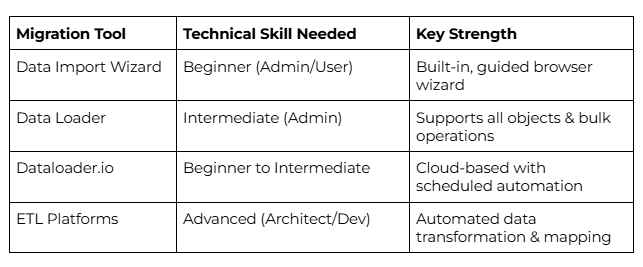
Which tool to use depends on how many records you need to move, how complicated your data relationships are, and how tech-savvy you are:The Data Import Wizard for Salesforce:
A browser-based tool that is easy for beginners to use that is built right into Salesforce Setup. Users can import up to 50,000 records at once for common items like Accounts, Contacts, and Leads. It walks users through the process step by step, making it perfect for simple, small ups.
Salesforce Data Loader:
A robust desktop and command-line tool designed for larger data sets up to 5 million records per load. It supports all standard and custom objects, you can export CSV documents, and you get thorough logs of successes and failures to assist you find out what is wrong.
Data loader
This cloud-based data loader solution doesn’t require installation and is owned by MuleSoft. It includes a simple web interface, automatic imports and direct access to FTP sites, Dropbox and other cloud storage providers.
Enterprise ETL Tools:
Extract-Transform-Load (ETL) platforms make it easy for companies to move millions of complex records between multiple legacy databases. They do this by automating heavy data transformations, complex lookups, and multi-object dependencies.
Key Techniques for a Smooth Data Migration
Relational data into Salesforce without breaking parent-child links: Technical teams use a number of practical techniques:Strict parent-to-child load order:
Salesforce records depend on each other to work. Always load parent objects before the child items. So for example you want to import Users first, then Accounts, then Contacts and finally Opportunities and Cases.Use legacy external Ids for upsert:
Each record added to Salesforce gets a new 18-character Salesforce ID assigned to it. By creating a custom External ID field on each item, to capture the unique ID from the old system, you can precisely link child records back to their parent accounts and safely update or insert records without creating duplicates.Pause automations temporarily for large loads:
Things like active validation rules, email warnings and Salesforce Flows might slow down massive imports or send out thousands of customers emails by mistake. You can speed up and simplify imports by disabling any automations you don’t need while the file is loading, then re-enabling them straight after.Run Pilot Loads Before Full Migration:
Never upload a million records at one time. As a best practice, before running the complete production load, load a small sample batch (10 to 50 records) into a Salesforce Sandbox to ensure that field mappings, date formats, and picklist values are correct.Best Practices for Successful Salesforce Data Migration
Here are a few behaviors to follow to keep company data safe and avoid paying a lot of money to resolve problems after launch:
Clean and Deduplicate Data Before Moving:
Don’t bring your old, dirty data into a fresh Salesforce environment. First go through old spreadsheets, delete extraneous contacts, make sure that phone numbers and dates are always typed in the same way, fix spelling issues and store entries that are no longer in use.
Always Create a Full Backup First:
Before you update or import any data, you should take a comprehensive backup of your source system and your target Salesforce org. Then if something goes wrong you can correct it immediately.
Make Field Mapping Templates Clear:
Create a spreadsheet that lists each source column next to the precise target Salesforce object, the field API name and the data type. That will help everyone in the business stay aligned.
After Migration, Validate Everything:
Please compare the number of records in your legacy system and Salesforce reports. Look for failed rows in the Data Loader error logs. Ask business users to check key customer accounts one last time before announcing that go-live is complete.
With the help of the Salesforce Business Analyst Course learn to apply these best practices in real migration process and provide the best outcome to businesses.
The bottom line
Salesforce Data Migration ensures teams start to work with clean, correct and integrated business documents right away. For example, the built-in Data Import Wizard and Data Loader, as well as cloud ETL platforms, can assist you in choosing the correct solution for your data size. Organizations can also minimize duplicate entries and broken links by adopting tried and true techniques such as parent-to-child loading, External ID mapping, and sandbox pilot tests. Cleaning up the data properly before the move and validating it thoroughly after the migration creates a long-lasting trust of the users, makes the reports accurate and prepares the complete team for a smooth adoption.